«Over the Rainbow» is an interactive archiving web platform that provides a space of comfort and memories for people who have lost their pets. Instead of dealing with the subject of death heavily, maintaining a warm and light emotional touch was the most significant design challenge.
링크 정보를 불러오는 중...
For this purpose, multi-layer auroras, floating SVG objects, letter archives, and a participatory upload flow were designed directly without libraries. Behind visually soft and warm-looking scenes, point normalization, speed/acceleration calculations, displacement control, layer preset design, and mobile branching are intricately incorporated.

Multi-layer Aurora Engine
The core of this project was to create a background that looks like a living membrane rather than static gradients. Simply following the pointer position results in an ordinary parallax effect, so we calculated travel speed and acceleration, designing it so that faster hand movements make the skew and displacement stronger.
Pointer Speed and Acceleration Calculation
ts
Reset lastTimestamp = performance.now() in onPointerEnter to react immediately right after entering, even after the mouse has stopped for a long time.
Physical Reactions per Layer and rAF Loop
By applying different , , , , and to each layer, we made it appear as if layers with different viscosities overlapped and moved. This is why each layer swells in a different rhythm even when there is no mouse. By applying normalization to spring interpolation, the same physical feel is guaranteed in any environment from 60Hz to 144Hz.

ts
SVG Filter — feTurbulence + feDisplacementMap
We generated an organic noise pattern with feTurbulence and distorted layers with feDisplacementMap. Initially, we only changed the baseFrequency in cycles of 32 seconds using the tag, but switched to JS control to make the noise pattern itself ripple in real-time according to mouse speed and acceleration.
tsx
Instead of applying the same scale to all 8 layers' displacement, each layer has its own filter (#aurora-displace-N), calculating the current waveform center and mouse distance (layerProximity) for each layer, making layers closer to the mouse twist more strongly.
ts

Separation of Responsibilities Between JS and CSS
Pointer response transform is directly updated by JS through ref, while the basic drift animation is independently driven by CSS keyframes. The key is designing the composition of these two layers so that interactions and background flow do not overwrite each other.
css
Layer settings are collected declaratively in aurora.config.ts, allowing independent modifications of color palette, blend mode, flow speed, inertia, and parallax.
ts
SVG Object and Letter Archive Interaction

Letters are not arranged as a typical card list. SVG objects in heart, star, cloud, and circle shapes float slowly across the screen, allowing users to tap them to read letters or leave new ones. This service seemed more emotionally suited to the experience of discovering memory fragments on the screen one by one, rather than consuming a list by scrolling.
Overlap Prevention and Balanced Density Layout
If left solely to random placement, icons can overlap each other or cluster in one area, creating disarray. Overlaps are avoided by stabilizing placement with a least-dense-zone fallback that selects the least crowded area if an attempt fails.
ts
Image Prefetch
Images are pre-fetched when buttons are mouseenter, focus, or touchstart, ensuring a smooth experience right after the modal opens, even on mobile and with keyboard navigation.
tsx
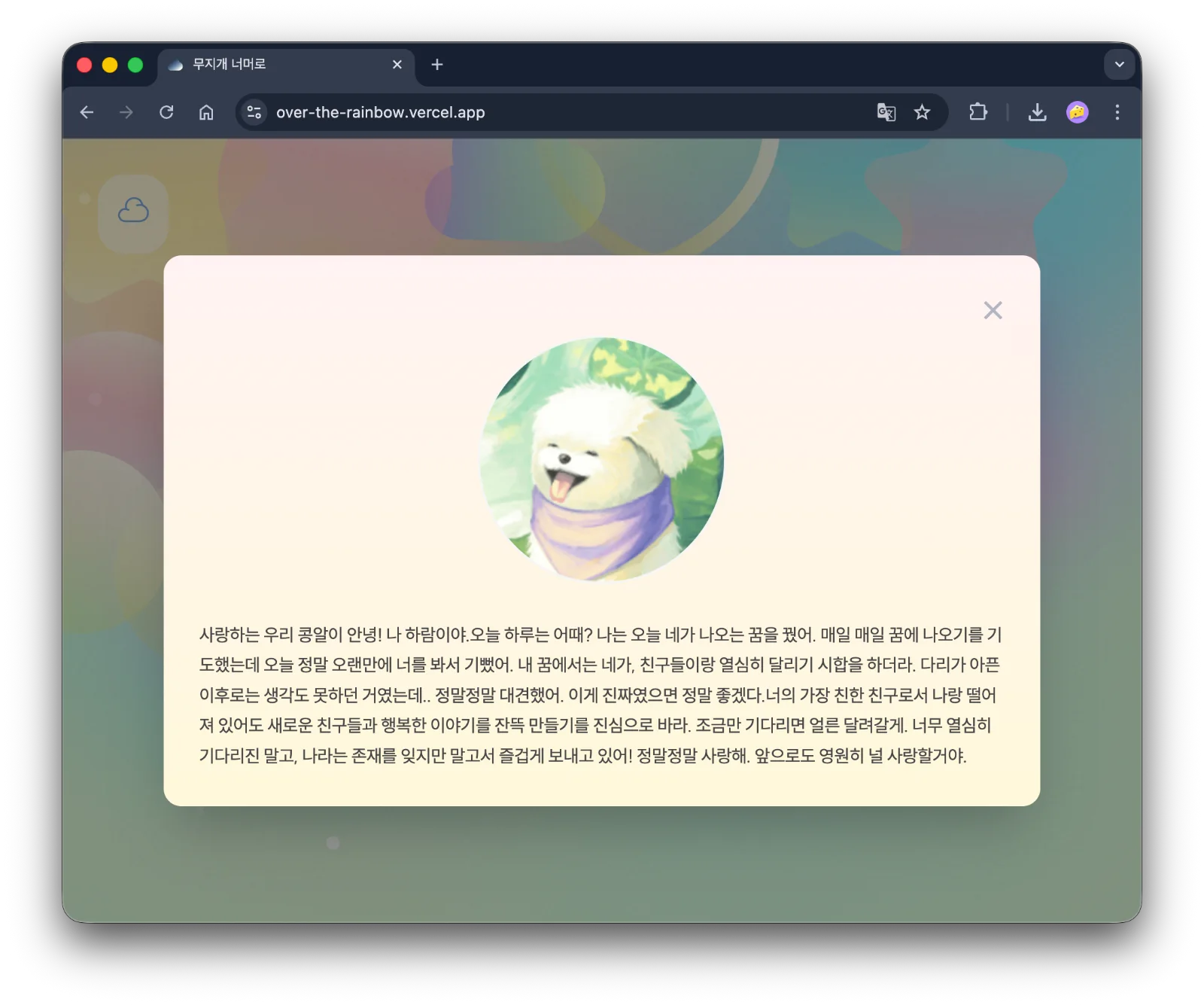
Optimization for Mobile and Touch Environment
The websites with a lot of emotional interaction often look good only on desktops, becoming inconvenient on mobile devices. This project opted to adjust the reaction intensity suitable for mobile, rather than forcibly maintaining the same physical reactions in a touch environment.
Disabling Physical Loop on Touch Devices
Detect the touch environment with (pointer: coarse), and on mobile, turn off the aurora physical loop to revert the global skew and displacement to 0. This prevents scroll and touch inputs from conflicting with background reactions, and interaction does not feel excessive on smaller screens.
ts
Adjusting Object Size Based on Screen Width
ts
Resize is debounced to prevent frequent recalculations. Modals are designed to open like cards on desktops and fullscreen on mobile, ensuring that composing and reading letters are not inconvenient on narrow screens.
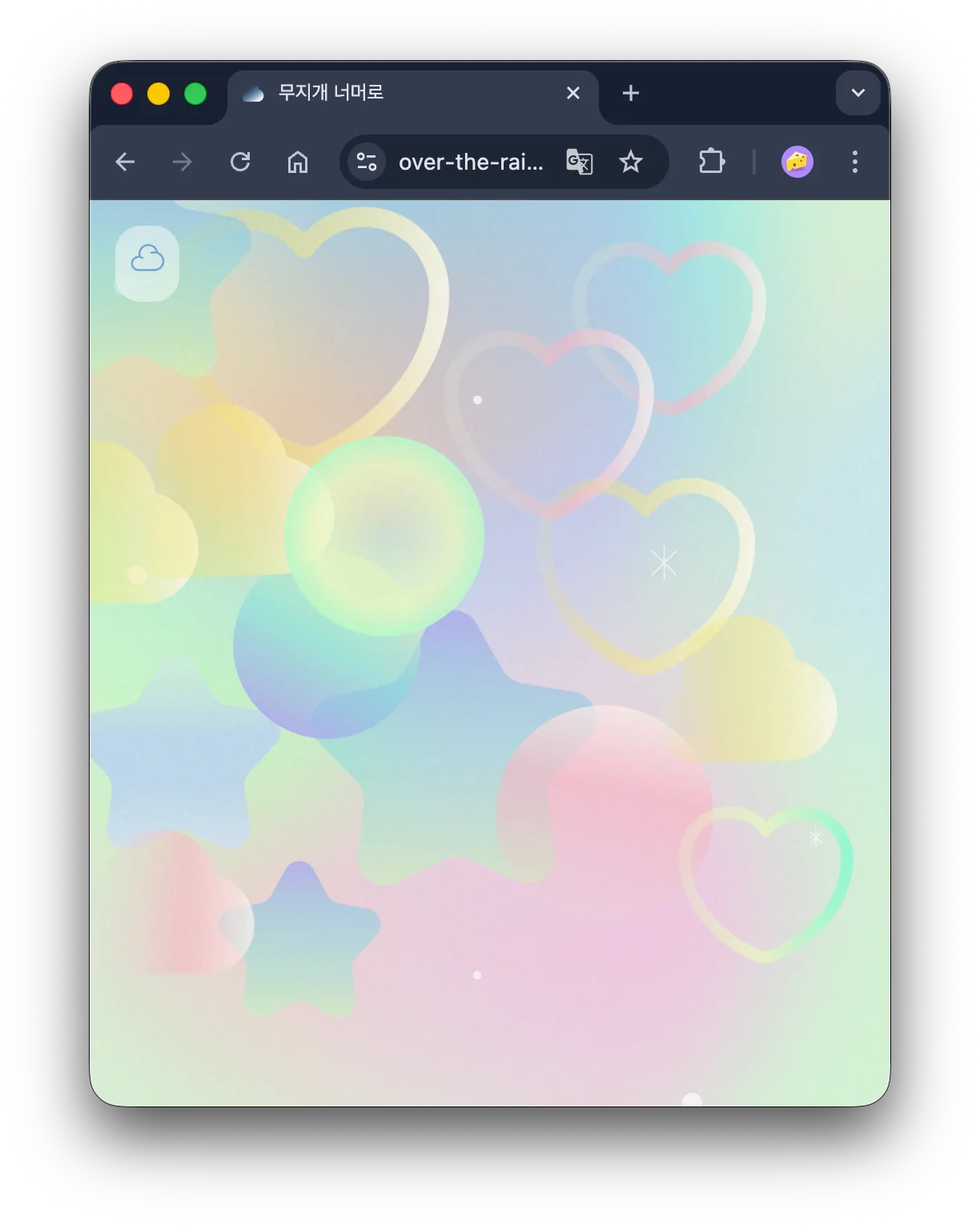
On smaller screens, card images shrink to allow more cards to appear.
4. Upload Experience and Data Processing
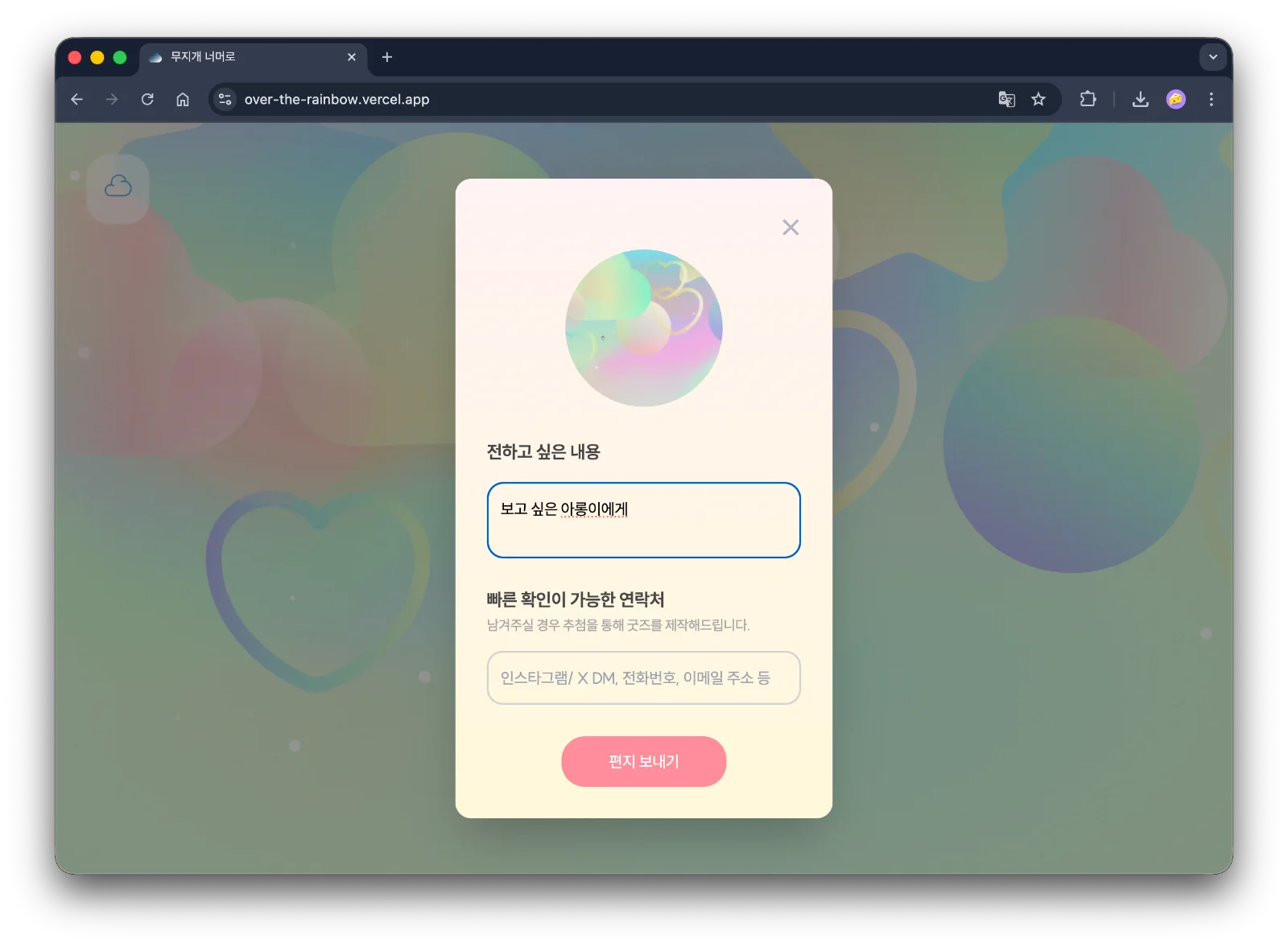
Even if the service is emotional, the input experience should not be made too light. As the flow of leaving letters is key, the pre-processing and writing experience were meticulously designed.
Dirty State + Close Confirmation
While writing a form, detect the dirty state, so that content is not lost upon closing without confirmation.
tsx
Browser Image Compression
The images are compressed in the browser before uploading to reduce transmission volume and allow immediate preview. This is advantageous in reducing the probability of upload failures in slow network environments or mobile.
ts
Storage is handled with Firebase Firestore and Storage, completing the flow of a participatory archive deployable even in personal projects.
Pause Background Interaction on Modal Open
tsx
When the modal is opened, the mouse interaction with the background is disabled to allow focus on the content being written.
Accessibility and Interaction Safety Mechanisms
Given the strong interactions, safety mechanisms to mitigate or halt them have also been designed.
prefers-reduced-motion
css
Modal Accessibility
Modals are implemented with role="dialog", , and is added to close buttons to ensure that keyboard and assistive device users do not lose context. Random objects are semantically maintained as elements for clickable components.
Conclusion
I believe that good interaction involves screens that adjust response intensity according to the user’s emotions and device environment, rather than just more animated screens.
This was a meaningful task where, instead of simply adding animation libraries, I designed reaction methods that align with the service's sentiment by separating the responsibilities of SVG, CSS, and JS.